
A digital business card for small businesses gives customers one convenient place to call, send a WhatsApp message, email, visit a website, view a location and save contact details. Unlike a printed card, it can be shared instantly and updated when business information changes.
This guide explains how a digital business card can support enquiries, improve professional presentation and make important contact actions easier for customers.
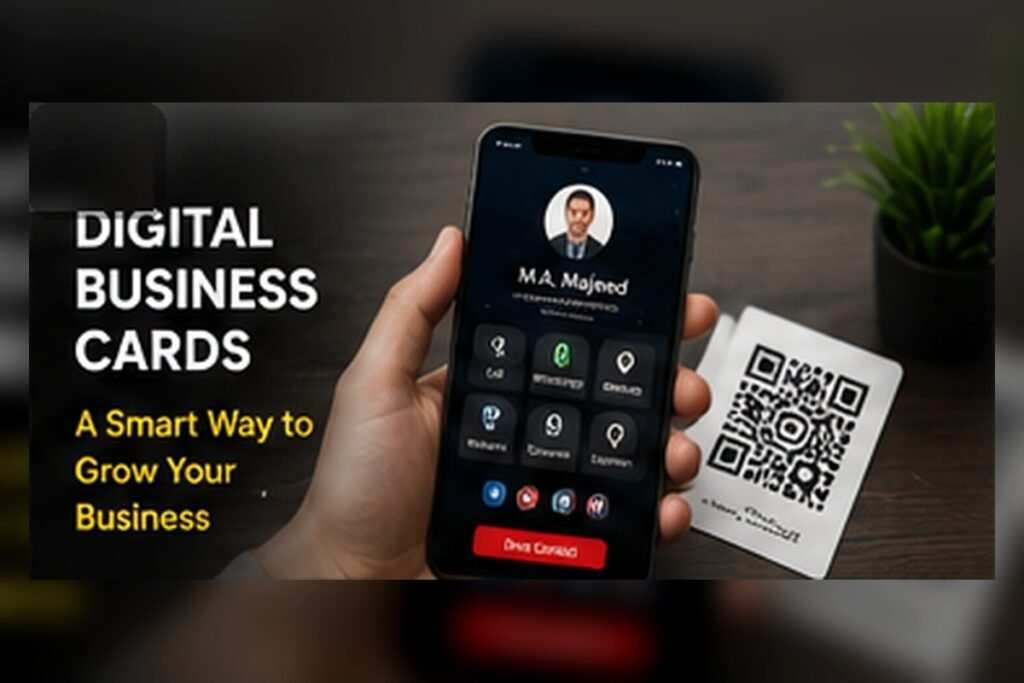
Table of Contents
- What a Digital Business Card Means for Your Business
- Why It Matters in 2026
- Nine Benefits for Small Businesses
- Practical Digital Business Card Checklist
- Common Mistakes to Avoid
- How Djeema Digital Marketing Can Help
- Useful Internal Links
- Useful External Resource
- Conclusion
Digital Business Card for Small Businesses: What It Means
A digital business card is a shareable online page containing your essential business information and contact actions. It can include your logo, name, services, telephone number, WhatsApp, email, website, location, social media links and QR code.
Customers do not need to type long numbers or search for your profiles separately. They can select the action they need directly from the card. This reduces small obstacles that may otherwise cause an enquiry to be delayed or lost.
Digital cards are useful for business owners, freelancers, salespeople, consultants, shops and service companies. They can be shared during meetings, through WhatsApp or email, on social media and through printed QR codes.
Why It Matters in 2026
Business conversations increasingly begin on smartphones. A customer may receive your contact through WhatsApp, scan a QR code or open a link from social media. A professional digital card gives that customer a clear introduction to your business and an immediate way to respond.
Printed cards remain useful, but they can be lost and cannot be updated after printing. A digital card complements printed material by keeping important contact details accessible through a single reusable link.
Nine Benefits for Small Businesses
- Simple sharing: Send one link through WhatsApp, email, SMS or social media.
- Direct contact actions: Let customers call, message or email without typing details.
- Professional presentation: Display your logo, brand colours and services consistently.
- Easy updates: Correct contact information without printing new cards.
- Website and location access: Connect customers directly to your website and map.
- QR code support: Add the card to brochures, packaging, counters and printed cards.
- Reduced contact errors: Prevent customers from entering incorrect telephone numbers or email addresses.
- Improved enquiries: Make the next customer action visible and convenient.
- Paper reduction: Share contact details digitally when a printed card is unnecessary.
Practical Digital Business Card Checklist
Check the following before sharing your card:
- Use the correct business name and approved logo.
- Add a clear description of your main services.
- Confirm that the telephone and WhatsApp numbers are correct.
- Test the email, website, map and social media links.
- Make buttons large enough to use comfortably on a smartphone.
- Keep the page readable without requiring customers to zoom.
- Use clear brand colours with sufficient text contrast.
- Include only useful contact actions and avoid unnecessary clutter.
- Add a downloadable contact option if available.
- Create a QR code that opens the correct card URL.
- Test the QR code from different printed sizes.
- Add descriptive alternative text to important images.
- Check the card on different phones and browsers.
- Update the card whenever your services or contact information changes.
Common Mistakes to Avoid
Avoid overcrowding the card with long paragraphs, too many buttons or unrelated social links. The most important information should appear first, and customers should understand what the business offers within a few seconds.
Do not use outdated telephone numbers, broken website links, unreadable colours or low-quality logos. Test every button before sharing the card publicly. A beautiful design cannot generate enquiries if its contact actions do not work.
Businesses should also avoid using different contact details across the digital card, website and Google Business Profile. Consistent information helps customers trust that they have reached the correct company.
How Djeema Digital Marketing Can Help
Djeema Digital Marketing creates mobile-friendly digital business cards for small businesses, freelancers and service professionals. Cards can include branded contact buttons, WhatsApp, email, website, location, services, social media and a shareable QR code.
We focus on a clean layout, accurate information and simple customer actions. We can also connect your digital card with your website, Google Business Profile, review QR code and other digital marketing tools.
Useful Internal Links
Explore related Djeema services:
Useful External Resource
For guidance on making online content understandable and discoverable, read the Google SEO Starter Guide.
Review your digital business card whenever your telephone number, email, website, location or services change.
Conclusion
A digital business card for small businesses is more than an electronic replacement for a printed card. It is a practical contact page that helps customers understand your business and choose their next action.
Keep the design simple, make every button useful and test the card regularly. When accurate information and convenient contact options are combined, a digital business card can support stronger first impressions and more enquiries.