
This WhatsApp Business guide explains how small businesses can set up a professional WhatsApp Business account, understand the basic requirements, manage enquiries and respond to customers efficiently, reply faster reply faster and communicate professionally with customers.Small businesses need digital tools that are simple, affordable and easy for customers to use. WhatsApp Business Setup Guide for Small Business Enquiries is an important topic because it connects directly with turning WhatsApp into a professional enquiry channel. When customers can understand your business quickly, they are more likely to call, message, visit your website or ask for a quotation.
This guide is written for business owners, freelancers, sales teams, shops and service companies that want practical digital marketing results without complicated technical language. The goal is not only to look modern, but also to make every online touchpoint useful for customers.
WhatsApp Business Requirements for Small Businesses
Before setting up an account, the basic WhatsApp Business requirements are a valid mobile number, a business name, business category, profile photo or logo, business description and accurate contact information. You can also add your website, email, address and opening hours to make the profile more useful for customers.
Table of Contents
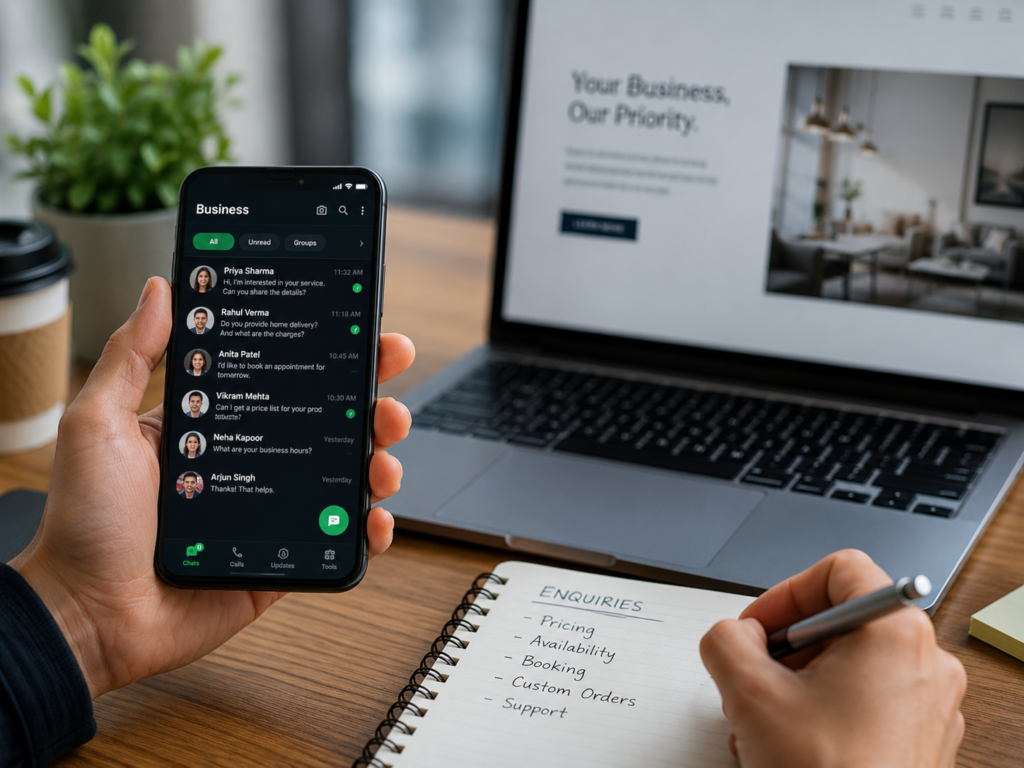
What This Means for Your Business
Following a clear WhatsApp Business setup guide ensures that your profile, greeting message and quick replies are configured correctly.
A strong digital presence does not need to start with a large budget. It should start with clear information, professional design and simple contact options. For this topic, the main idea is that add your business name, category, description, email, website and working hours. This makes the customer journey easier and helps remove small obstacles that often stop people from contacting a business.
Another important point is that use a professional profile image and brand colors. Many small businesses lose enquiries because their details are incomplete, inconsistent or difficult to find. A good digital setup should make the next step obvious.
Why It Matters in 2026
Customers are comparing businesses faster than before. They may check your website, Google profile, WhatsApp link, reviews and social media before making a decision. If your online presence looks unfinished, they may move to another company even if your service is good.
That is why WhatsApp Business setup should be treated as part of your business identity. It helps customers trust you, understand your offer and contact you with less effort. It also gives you a better foundation for future SEO, social media marketing and Google visibility.
Key Benefits
- Add your business name, category, description, email, website and working hours.
- Use a professional profile image and brand colors.
- Create greeting messages and away messages for new customers.
- Use quick replies for prices, location, services and common questions.
- Connect whatsapp buttons from your website, digital card and social media pages.
These benefits are simple, but they are powerful. A business that is easy to contact has a better chance of receiving enquiries. A business that looks professional has a better chance of building trust. A business that keeps its information updated has a better chance of appearing reliable when customers compare options.
Practical Checklist
Use this checklist before publishing or promoting your business online:
- Make sure your business name, phone number, WhatsApp number, email and website are correct.
- Add a clear description of your services.
- Use a professional logo and consistent brand colors.
- Make your contact buttons easy to find on mobile.
- Link your important pages together, including services, pricing, portfolio and contact.
- Add useful images with clear alt text.
- Review the page after publishing and test every link.
- Submit important URLs in Google Search Console when needed.
This checklist helps create a stronger foundation before spending money on ads or promotions.
Common Mistakes to Avoid
The most common mistake is creating digital content that looks nice but does not help the customer take action. Every page, image, card or profile should answer a simple question: what does this business do and how can I contact them?
Avoid using too many confusing buttons, fake claims, copied text or unclear service descriptions. Also avoid leaving old phone numbers, wrong opening hours or broken links online. Small mistakes can reduce trust, especially when customers are ready to buy or enquire.
How Djeema Digital Marketing Can Help
Djeema Digital Marketing helps small businesses build a practical online presence. We support services such as digital business cards, website design, SEO setup, Google Business Profile support, social media marketing, WhatsApp Business setup, QR code solutions and branding design.
Djeema can set up your WhatsApp Business profile and connect it with your website and digital card. We focus on clean design, mobile-friendly layouts and simple contact actions that make it easier for customers to reach you.
Useful Internal Links
You can explore more Djeema services here:
Useful External Resource
For additional guidance, read the official resource here: WhatsApp Business App.
Use this WhatsApp Business setup guide as a checklist when reviewing your account and customer communication settings.
Conclusion
WhatsApp Business Setup Guide for Small Business Enquiries is not only a marketing idea. It is a practical step toward building a stronger business presence online. When your information is clear, your design is professional and your contact options are easy, customers feel more confident.
Start with the basics, improve one step at a time and keep your digital tools connected. This is how small businesses can build trust, attract enquiries and grow online in a simple and professional way.